
What Is an Online Clipboard? Complete 2026 Guide to Easy Text Sharing Between Devices
If you have ever copied a link, OTP, note, WiFi password, or code on your phone and then needed it on your laptop, you have probably wished your clipboard could work across devices. An online clipboard solves that problem by giving you a temporary place to paste text and retrieve it from another device through a browser.
Unlike the clipboard built into a phone or computer, the tool is accessible through the web. You paste text on one device, receive a retrieval method, and access the content on another device. No cable, screenshot, or long email chain is required.
What Is an Online Clipboard?
An online clipboard is a web-based tool for temporarily storing and transferring text between devices. Instead of keeping copied content only inside one device’s memory, the service makes it available through the internet so another device can retrieve it.
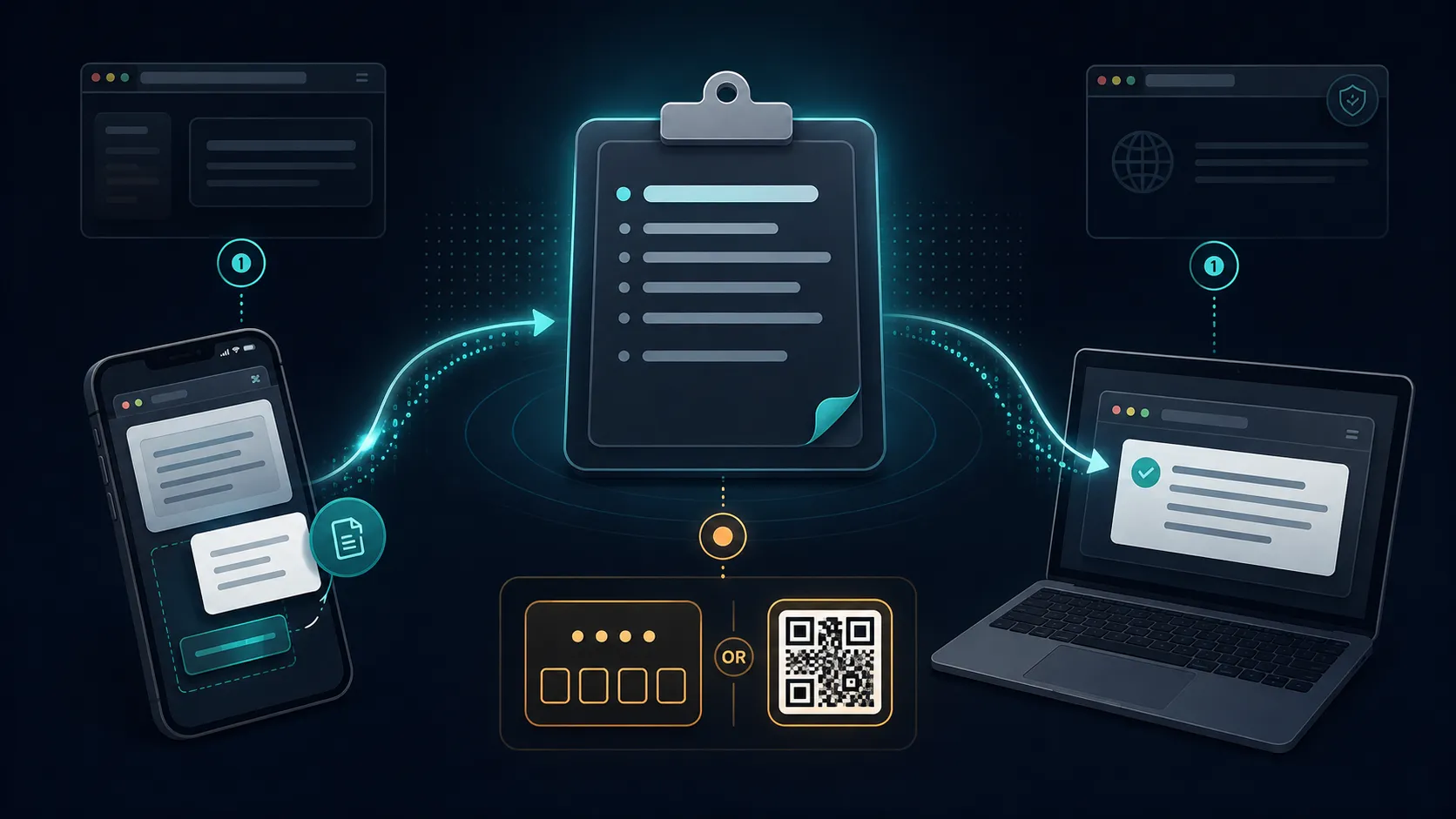
A typical workflow is simple: paste text, generate a PIN or code, open the tool on another device, and retrieve it. Some services also provide QR retrieval or automatic expiry.
The key distinction is that this type of tool is designed for short-lived transfers, not permanent document storage. It is useful when you simply need to move information from one screen to another.
How Does an Online Clipboard Work?
The process normally takes three steps.
- Paste the text on the first device.
- Generate a PIN, code, link, or QR code.
- Open the tool on the second device and retrieve the text.
Online Clipboard follows this model. You can paste text, generate a 4-digit PIN and QR code, then retrieve the content from another device. The default expiry is 10 minutes, and burn-after-read can remove the content after retrieval.
Why Use an Online Clipboard Instead of Email?
Email works, but it is excessive for a two-line transfer. You have to compose, send, find, and copy the message again. A clipboard-style tool keeps the process focused on moving text.
A browser-based tool is also useful on a shared computer because you do not have to sign into personal email or messaging accounts. You can transfer the text and leave without creating a conversation history.
Common Online Clipboard Use Cases
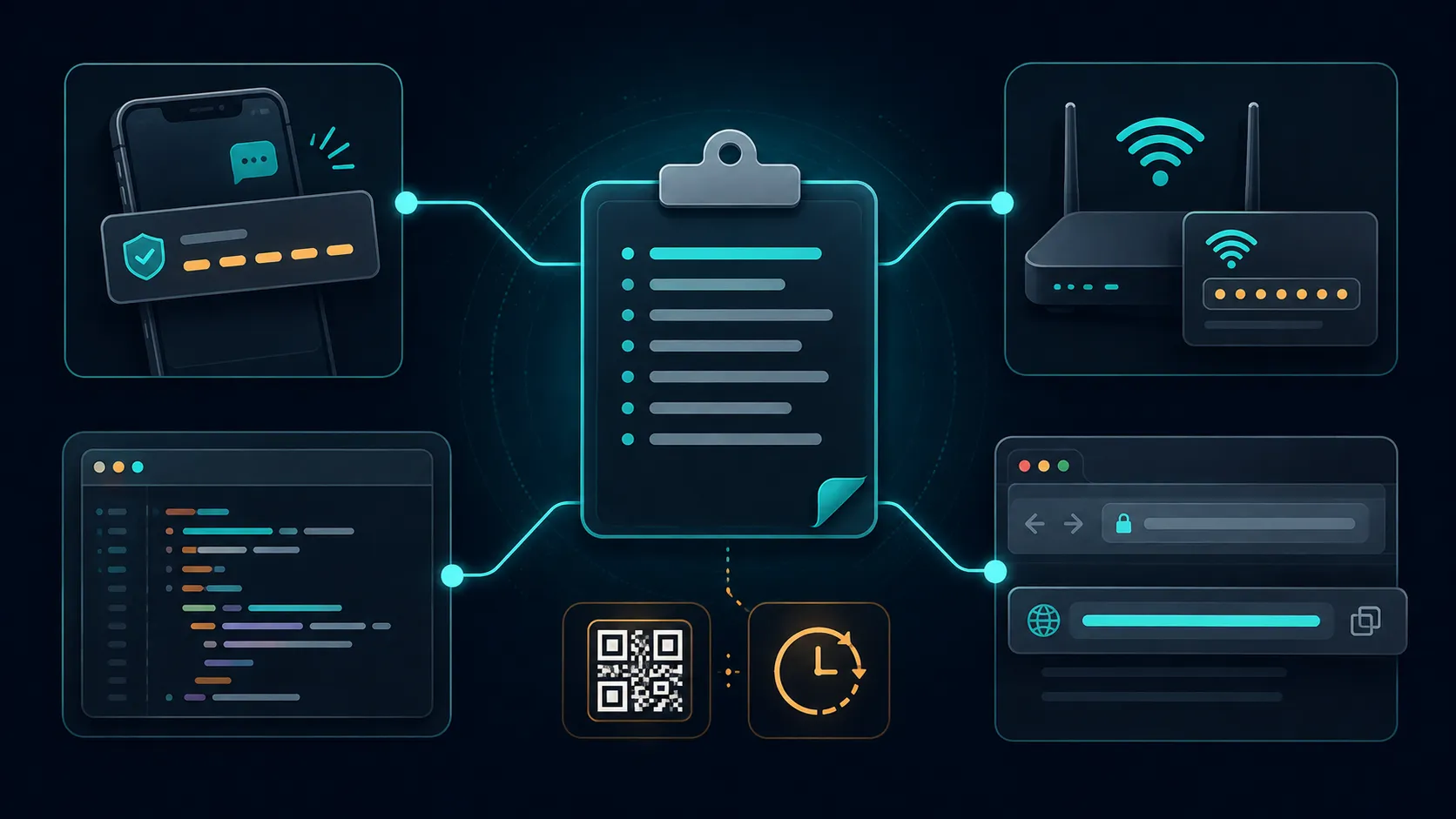
Moving OTPs Between Devices
An OTP may arrive on your phone while you are completing a task on a laptop. A temporary clipboard can move the code between screens quickly. For sensitive authentication information, use caution and never share an OTP with another person.
Sharing WiFi Passwords
Instead of reading a complicated password aloud, paste it into the clipboard and retrieve it on the receiving device. Our guide to sharing WiFi passwords covers this use case in more detail.
Moving Code Snippets
Developers sometimes find a short piece of code on a phone and need it on a computer. An online clipboard can be quicker than opening an account-based messaging service for a few lines. See our guide to sharing code snippets for another practical workflow.
Transferring URLs and Notes
Long URLs, addresses, instructions, and short notes are ideal for temporary text transfer. Our cross-device clipboard guide explains other ways to move this type of content.
What Features Should You Look For?
Not every web clipboard provides the same protections. Check retention, automatic deletion, and failed-attempt limits.
Online Clipboard uses automatic expiry, optional burn-after-read, QR retrieval, and IP-based brute-force protection. Five incorrect PIN attempts trigger a 15-minute block for the relevant IP. IP addresses are hashed with a salt rather than stored raw.
For sensitive information, security features are not a substitute for good judgment. CISA recommends protecting sensitive mobile communications and using appropriate secure communication methods. Read the CISA Mobile Communications Best Practice Guidance before using temporary web tools for highly sensitive information.

Online Clipboard vs Cloud Notes
Cloud notes are better when you want information to remain available for days, weeks, or months. A temporary clipboard is better when the job is simply to move text from device A to device B.
Think of a notes app as storage and a temporary clipboard as a transfer lane. Choosing the wrong one creates unnecessary friction.
Is an Online Clipboard Safe?
Safety depends on the service and the information you put into it. Look for HTTPS, clear expiry rules, access controls, sensible rate limiting, and transparent privacy practices.
Do not use a temporary text-sharing tool as a replacement for a password manager or dedicated secure communication system when handling highly sensitive credentials. A tool can be designed for privacy while still being the wrong tool for a particular secret.
When Should You Use One?
Use an online clipboard when information is short, temporary, and needs to move between devices quickly. It is especially useful when you do not want to install an app, create an account, or leave a permanent message history.
For longer-term information, use cloud storage or notes. For highly sensitive credentials, use a dedicated security tool.
Final Takeaway
This type of clipboard fills a simple gap between the clipboard on your phone and the clipboard on your computer. It lets you paste text once and retrieve it elsewhere without turning a small transfer into a full messaging workflow.
For quick temporary sharing, start with the Online Clipboard tool. Paste your text, generate a PIN or QR code, retrieve it on the other device, and let the content expire when the transfer is finished.
You can also explore our guides on QR code text sharing and encrypted text sharing if you need a more specific workflow.